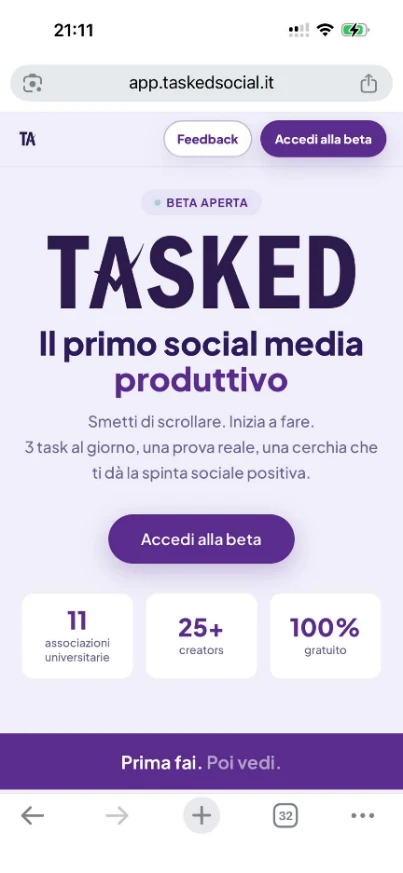
Stop scrolling out of boredom. Tasked turns online time into something concrete: 3 goals a day, real proof and a circle that gives you the right encouragement.
Download the app
Open the link in the browser on your iPhone or Android device:
↗ app.taskedsocial.itTap "Join beta" to join the beta - there you will find the instructions for downloading the app on your device.
Create your profile
Sign up in a few seconds: your name, a photo and a short bio.
Your profile is what your friends see when you add them - and what makes you recognizable within your circle.
Add friends to your circle
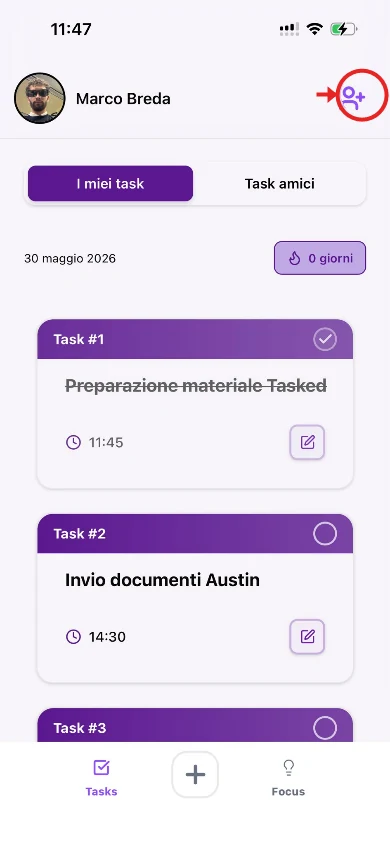
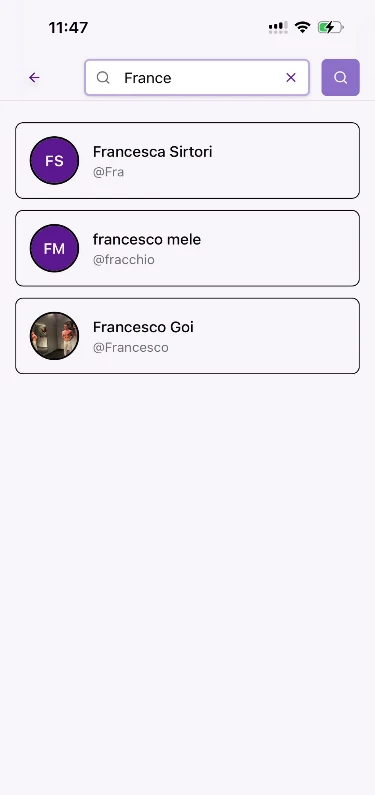
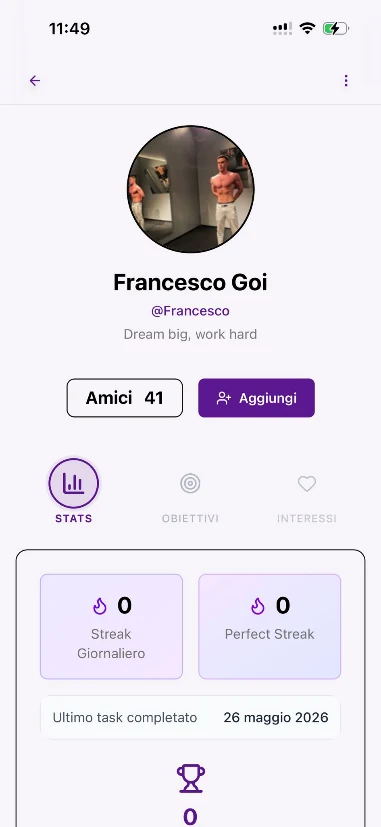
Search for friends, classmates or colleagues and send them a request. They will see your Tasks, and you will see theirs.
Tasked works when someone sees what you do. Choose people you truly want to grow with.
Set your daily Tasks
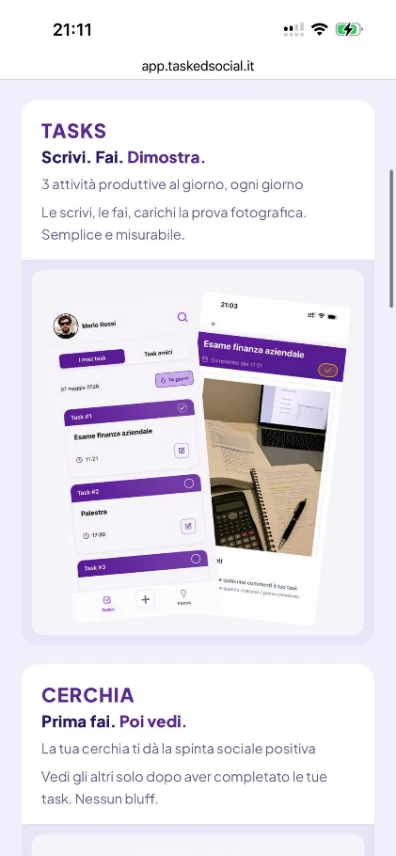
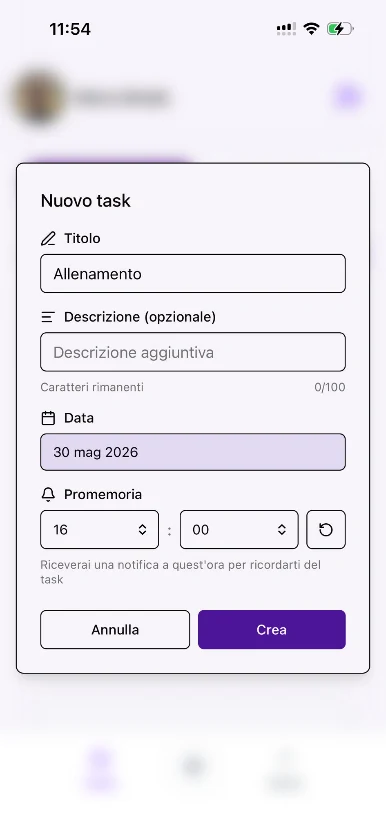
Every morning, choose 3 things to do. Studying, the gym, work or reading: three concrete priorities to complete by the end of the day.
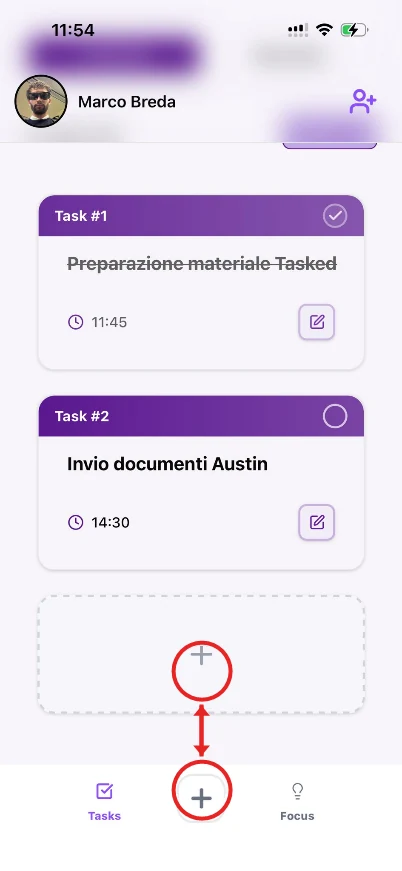
You can add a Task in two ways: with the + button in the bottom bar, or with the dashed box directly in the list - both are circled in red below.
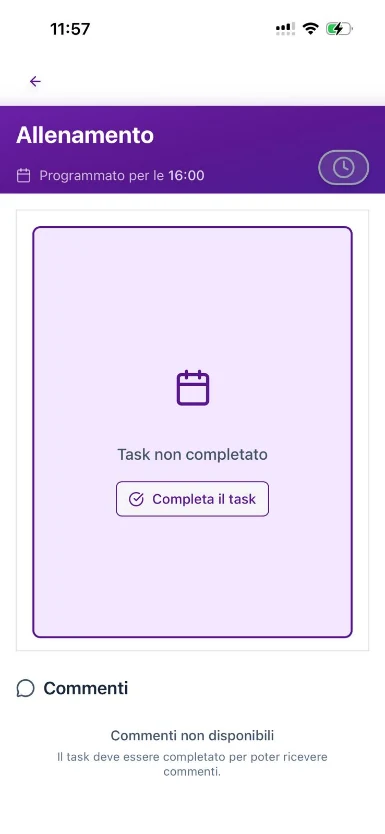
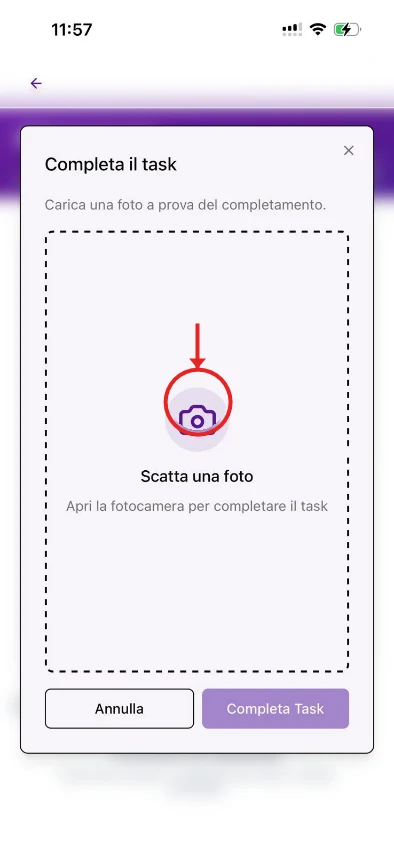
Complete a Task and upload proof
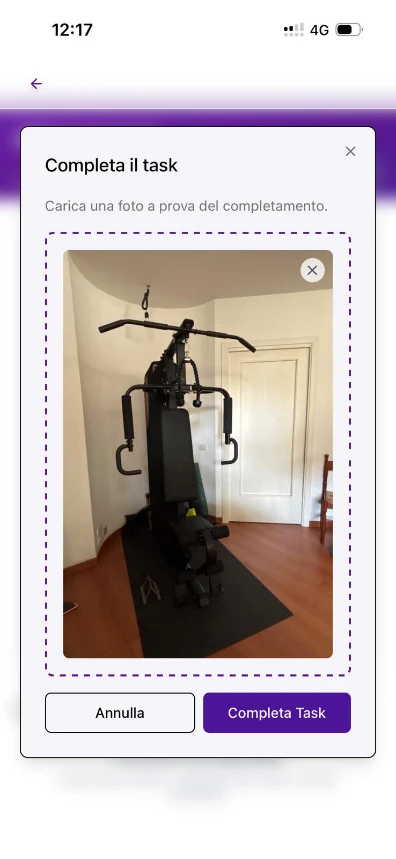
Finished your Task? Now prove it. Take a photo as real proof of the result.
The photo is required - it is the heart of Tasked. It is what makes what you do real.
Do first, then see
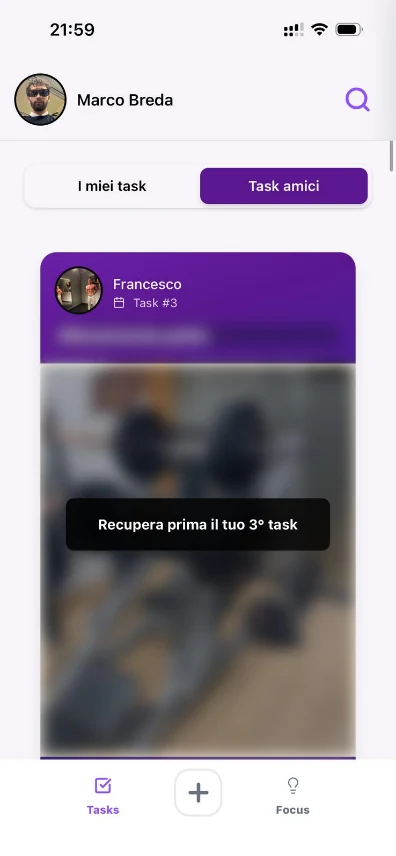
Your friends' feed unlocks gradually: complete your first Task to see the first piece of content, complete the second to unlock another, then complete the third to open the day's feed.
Act first. Then discover what everyone else has done. One step at a time, with no shortcuts.
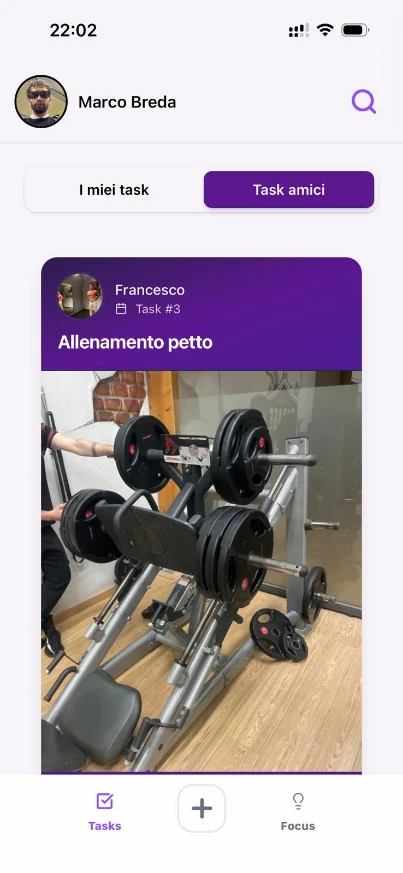
Comment on and validate others' Tasks
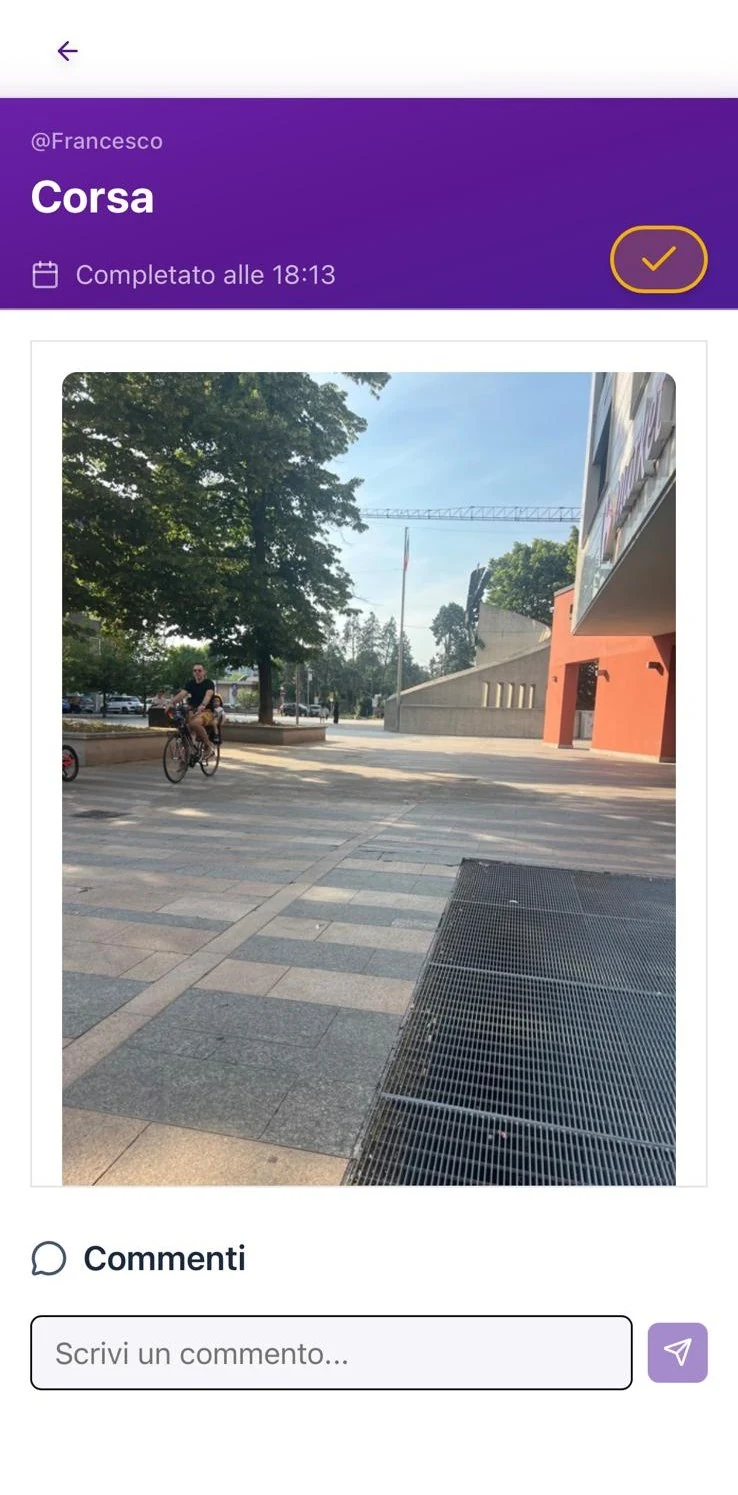
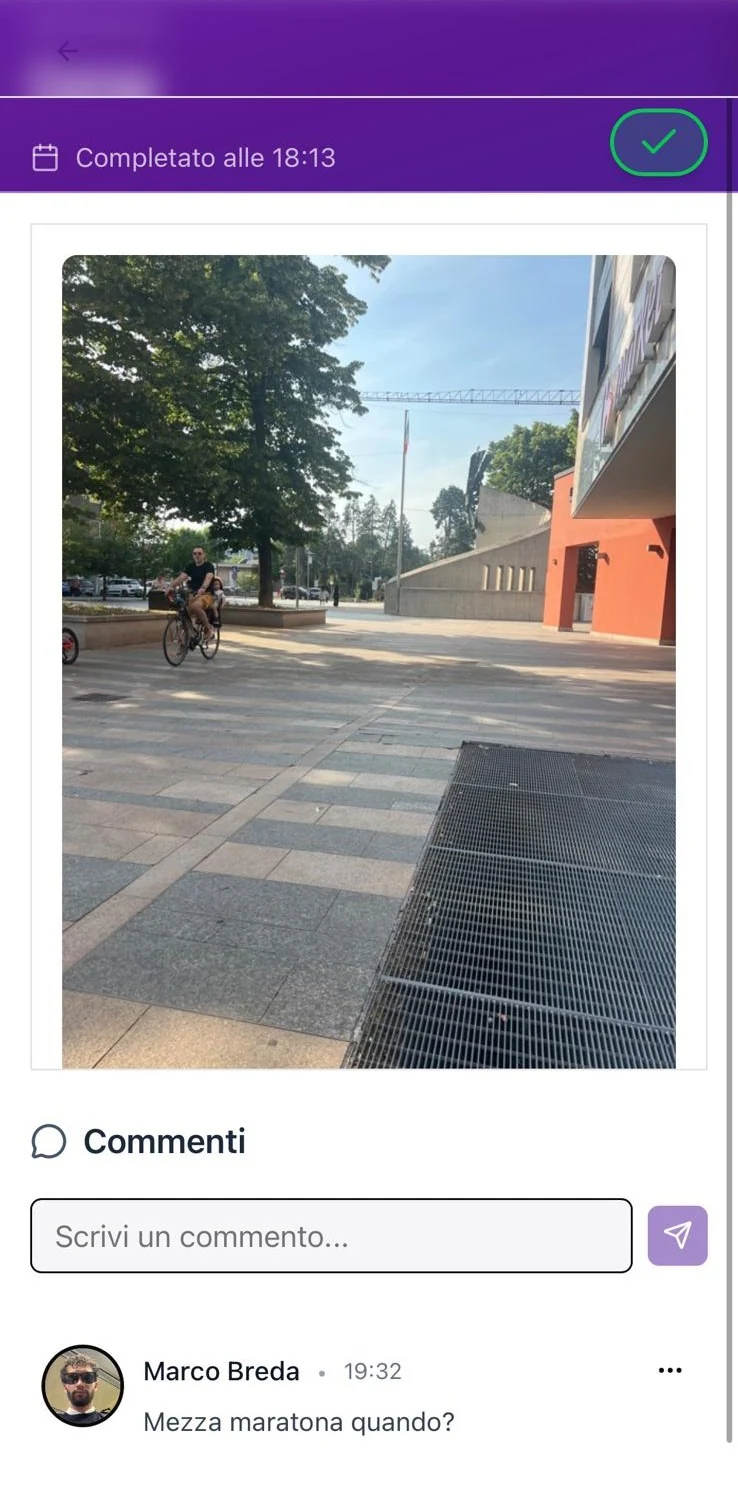
When you open Friends' Tasks, you can open other people's completed Tasks by tapping their photo. From there, you can leave a comment: this is how you recognize the work they have done and give your circle practical encouragement.
Once you have commented, your friend's Task is validated: the checkmark at the top right turns green, confirming that someone has seen and recognized the proof.
A streak starts and is maintained only when Tasks are validated. Completing them is not enough: your circle also needs to confirm them.
Create monthly goals
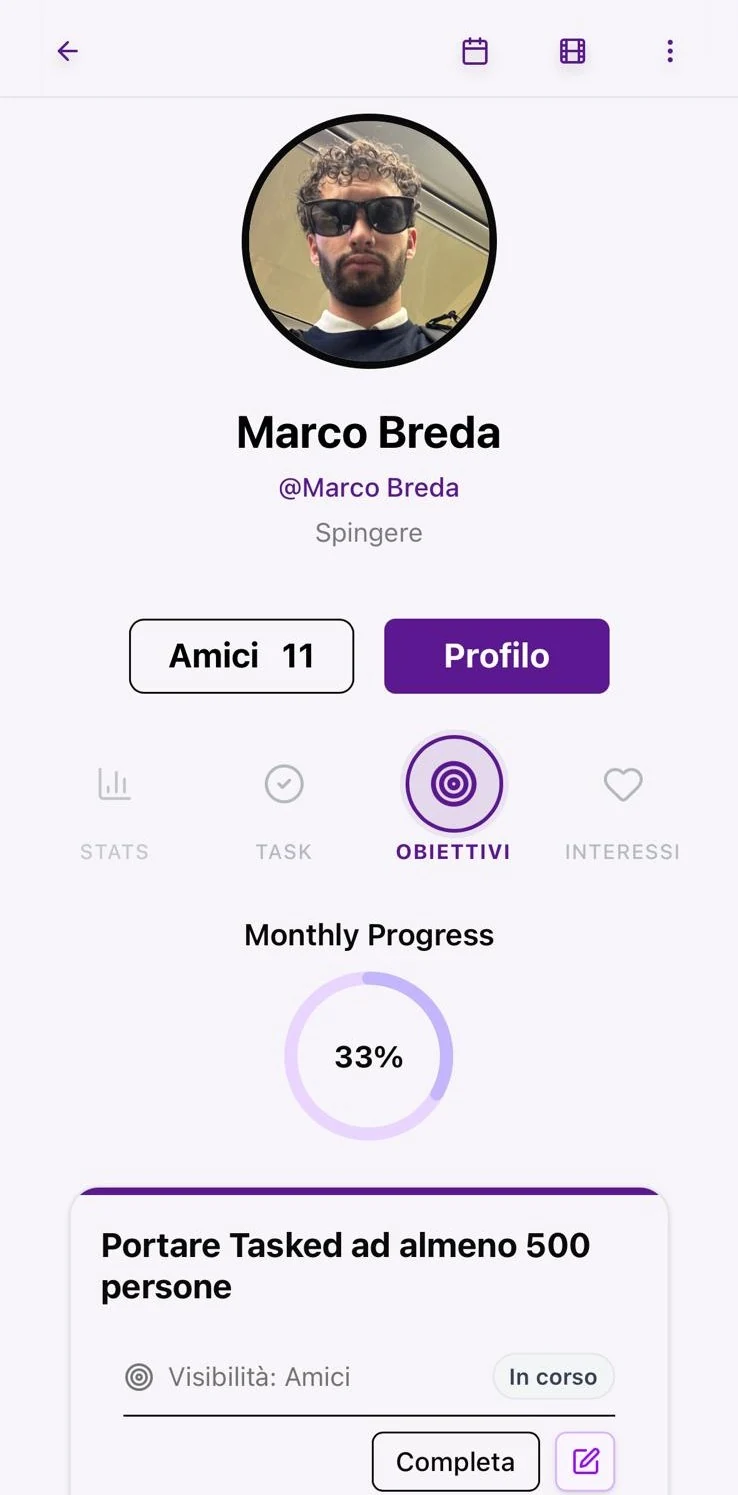
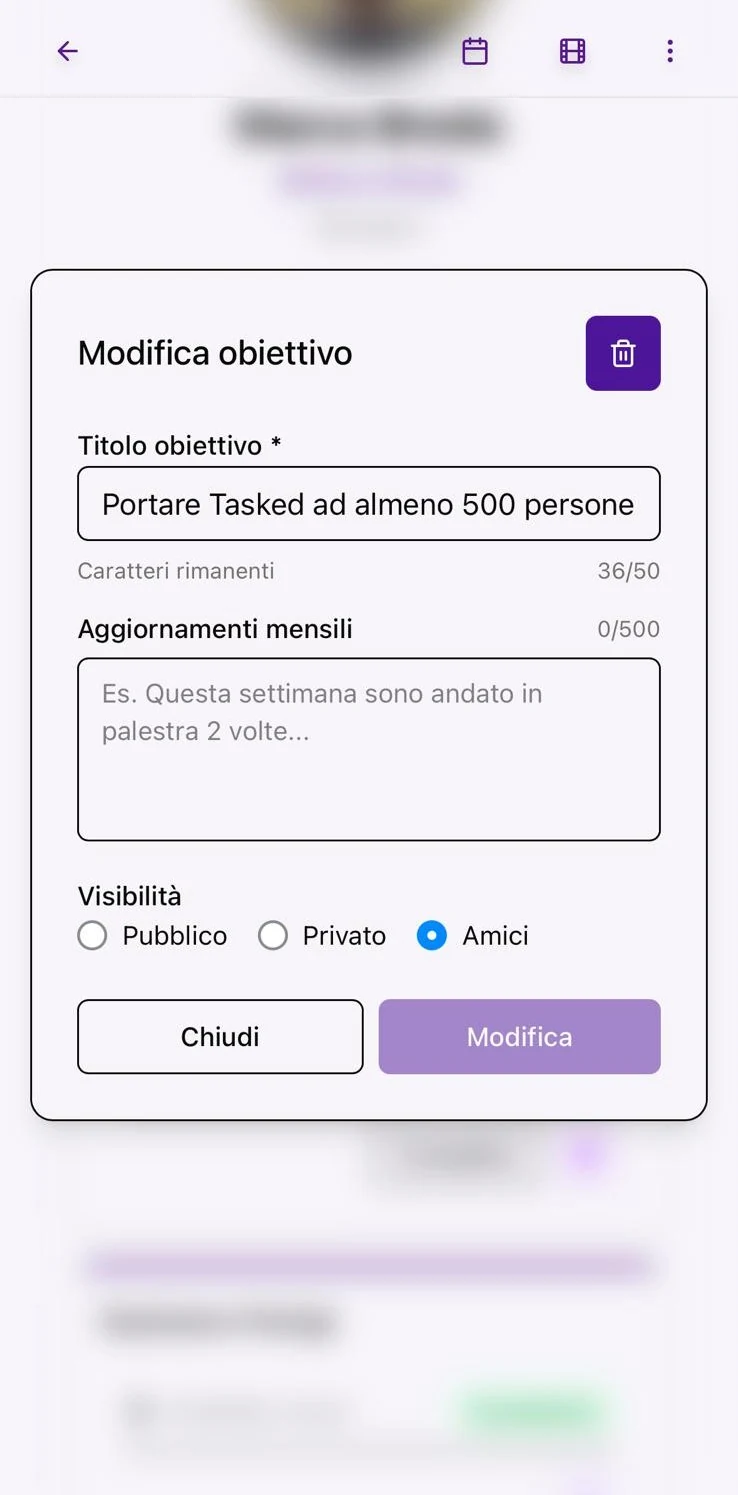
Objectives are monthly milestones: bigger than daily Tasks, and ideal for studying, sports, work or personal projects.
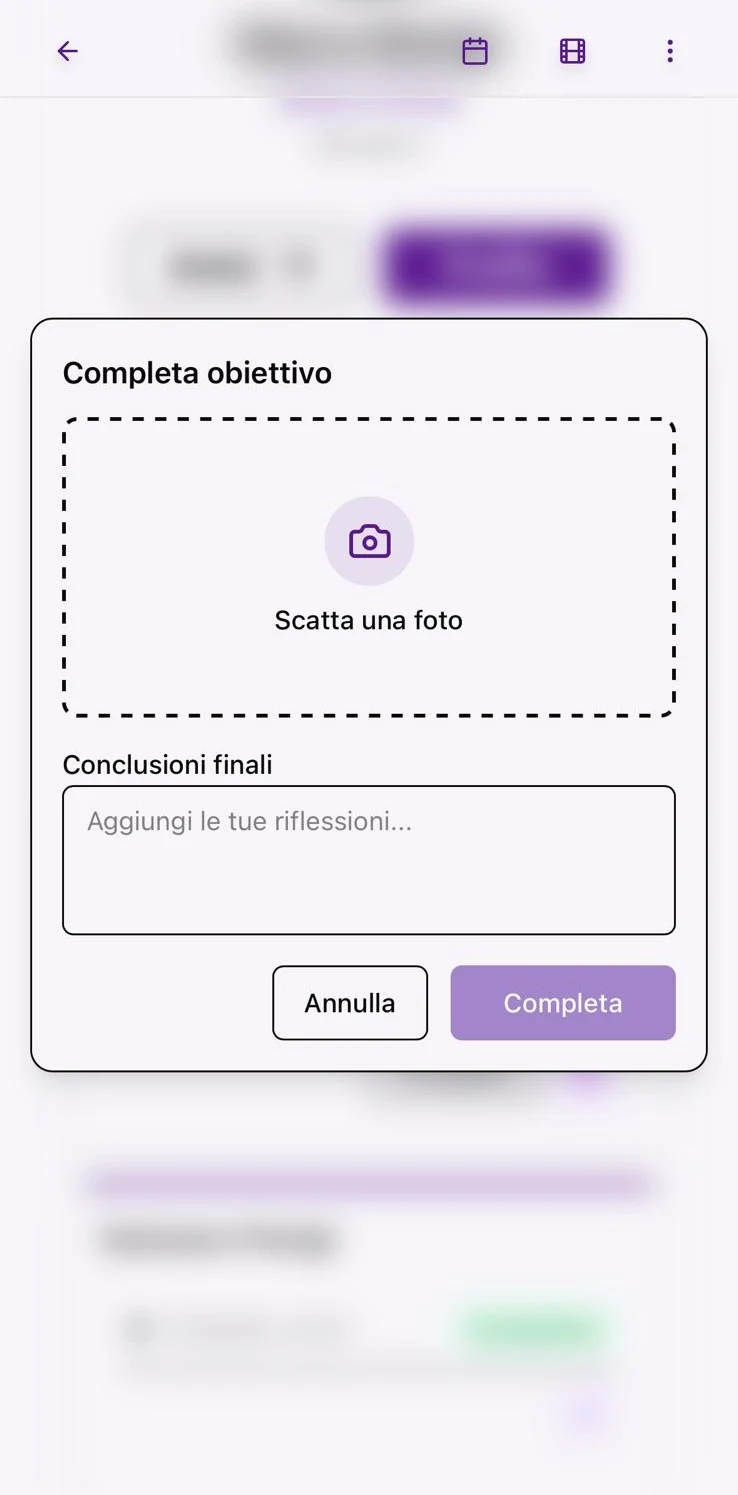
You choose the visibility: public, private or friends only. When you complete a goal, upload a photo as proof and finish the journey with a final note.
Tasks get you moving every day. Goals remind you where you are going.
Choose your interests
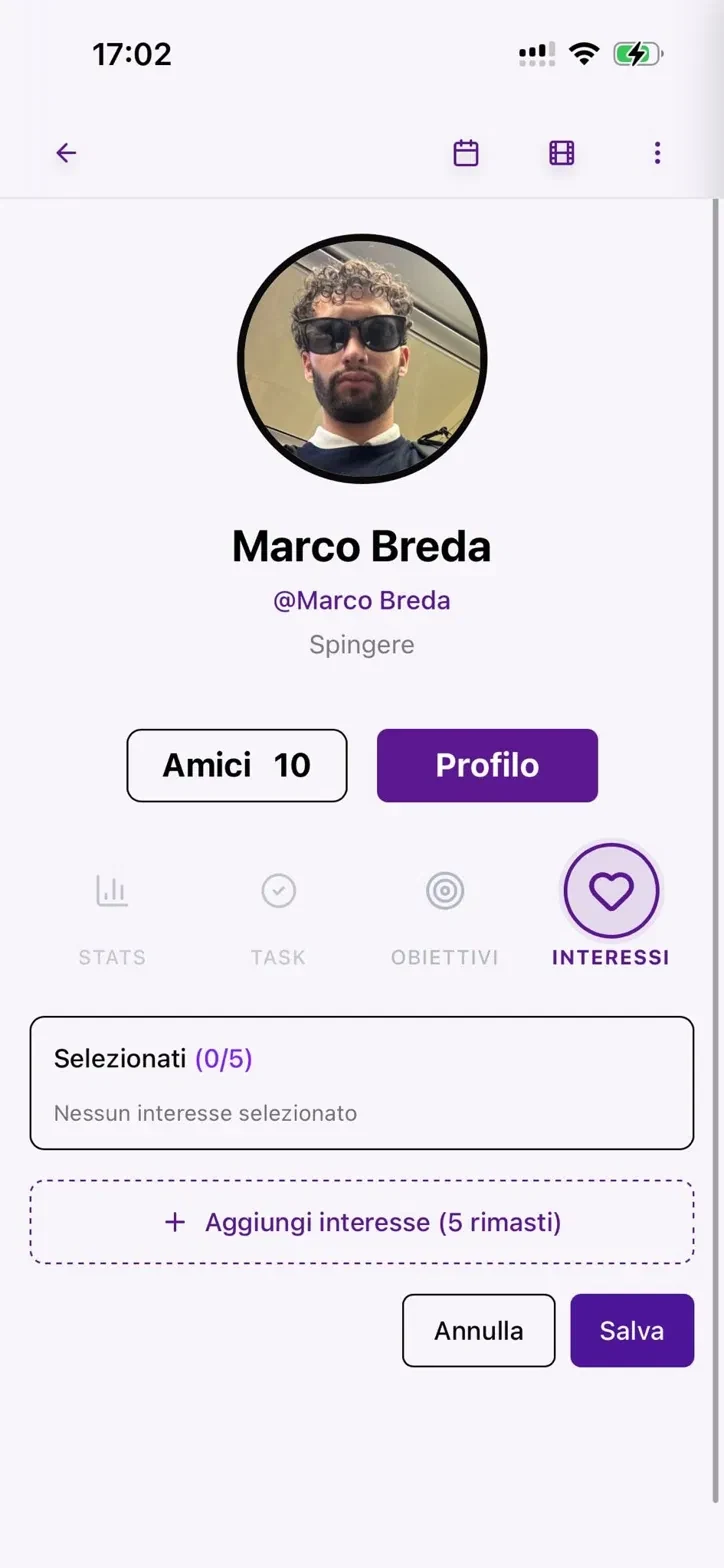
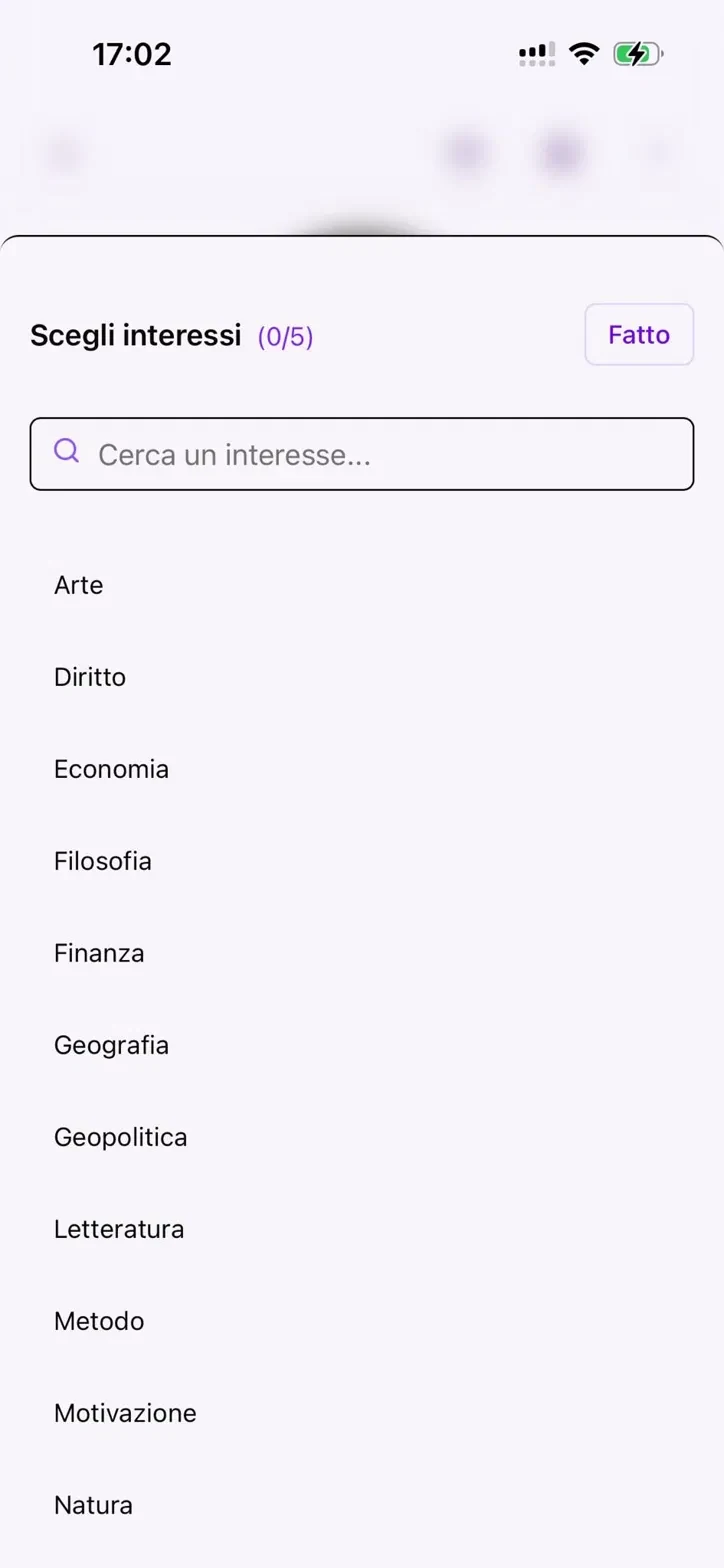
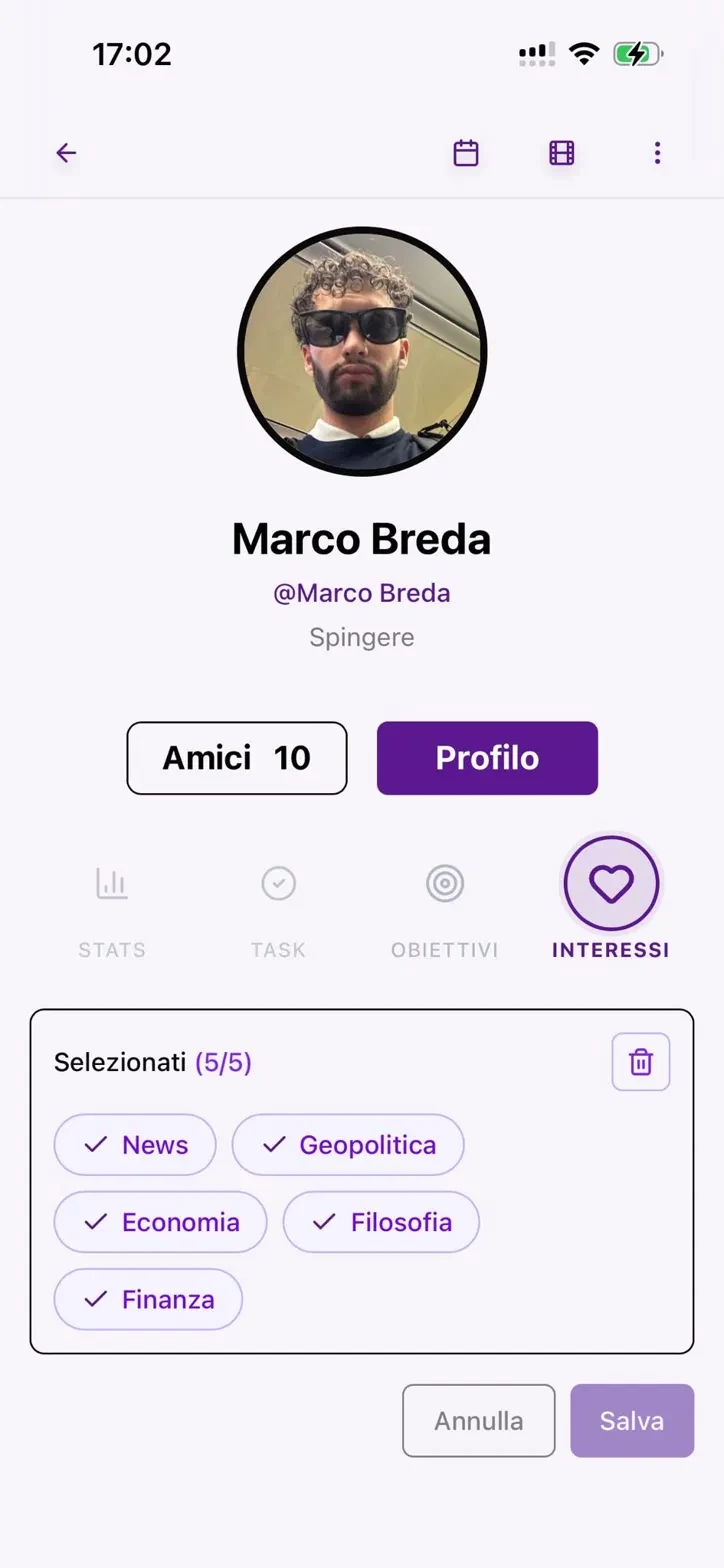
From your profile, you can select up to 5 interests: economics, geopolitics, philosophy, finance, method, motivation and other useful topics.
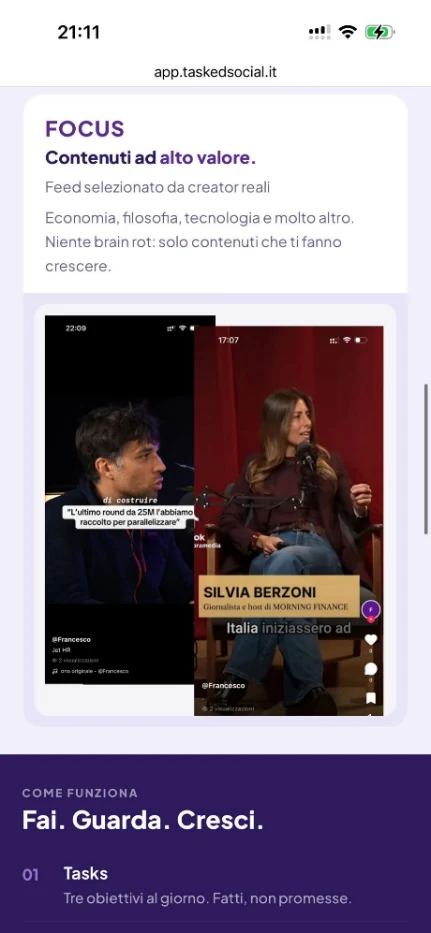
Interests help Tasked understand which content you want to see: based on your choices, the reels in Focus become more relevant to what truly interests you.
The more carefully you choose your interests, the more Focus becomes a feed designed to help you learn, rather than just keep you online.
Explore Focus
Focus is the part of Tasked designed to replace automatic scrolling with short content that gives you something to take away: ideas, stories, inspiration and useful knowledge.
Focus is still experimental. The player works, but the experience is not yet complete: at the moment, the selection of content is very limited, so you may often see the same videos repeated, even several times in the same session.
We are working to improve the rotation, increase the number of available videos and gradually make the reels more relevant to the interests you choose.
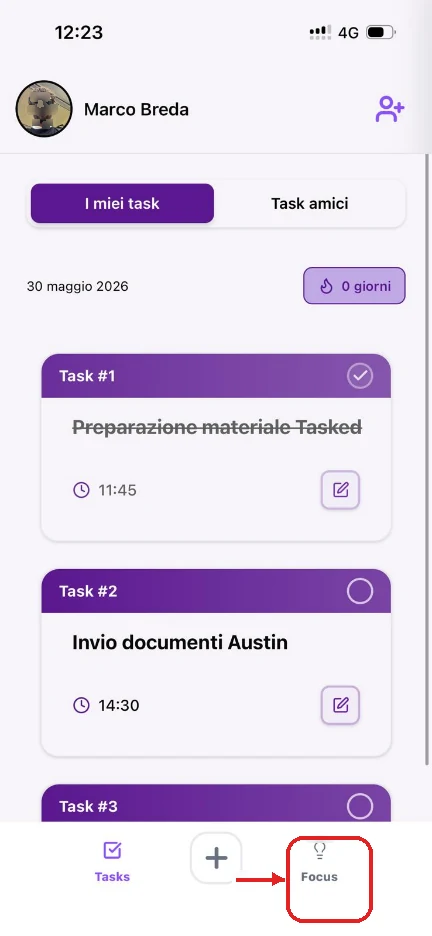
↓ Open Focus from the tab at the bottom right (highlighted in red)

Leave feedback
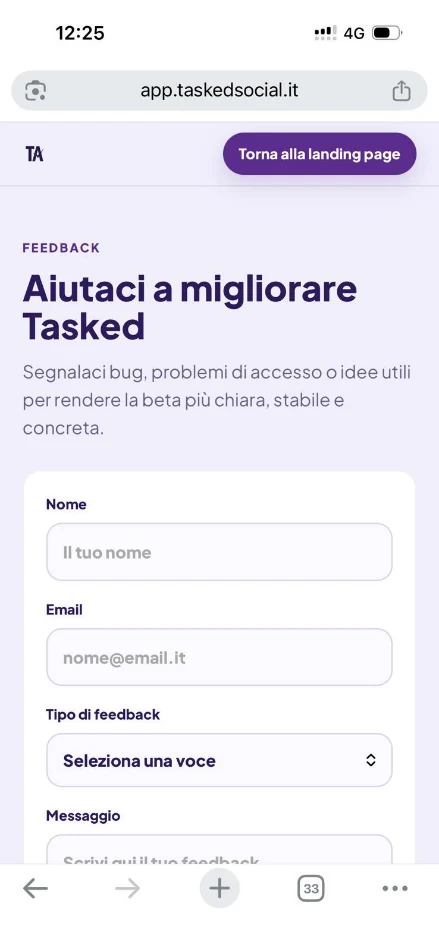
We are in beta, and every report really helps us. If something does not work, is slow or is unclear - let us know.
You can do this in two ways: with the "Feedback" button at the top of the home screen, or by scrolling to the dedicated section and pressing "Send feedback" - both are highlighted in red below.
↗ app.taskedsocial.it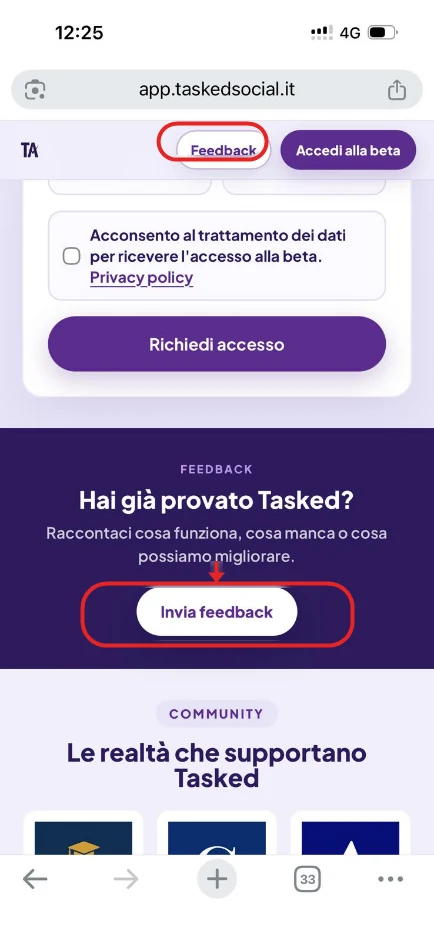

Thank you for being in the beta.
You are building Tasked with us.